 MovieBox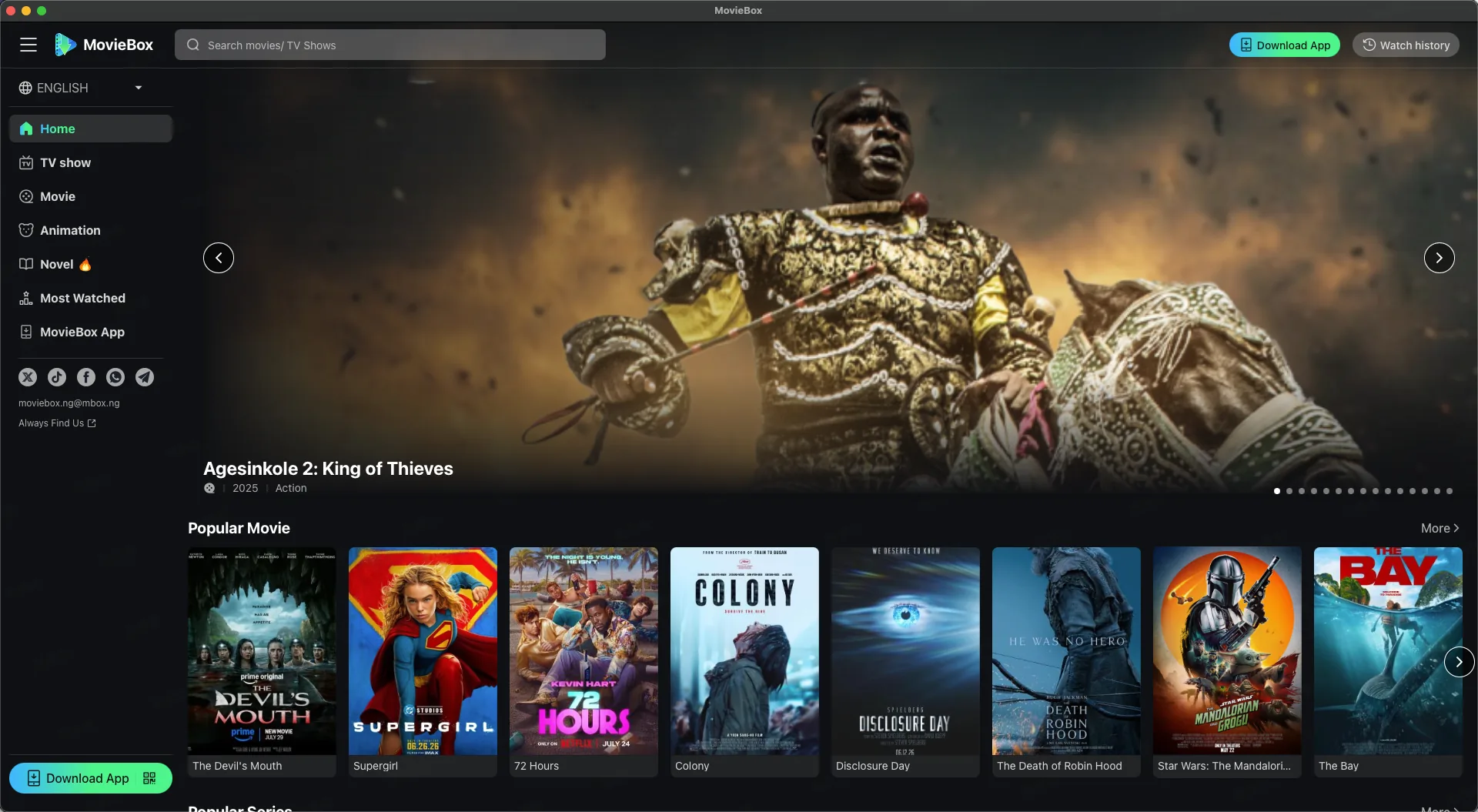
If you enjoy watching movies and TV shows without paying for a traditional streaming subscription, you have probably come across MovieBox. The app has built a large following because it puts a huge catalog — Hollywood releases, Korean dramas, anime and live sports — behind a single search bar, with no monthly bill attached. That naturally raises the question everyone asks before installing anything: is the MovieBox app completely free in 2026?
The short answer is yes for the core experience. The MovieBox app is free to download, free to stream, and works without creating an account or entering payment details. What is not free is an optional upgrade called MovieBox Pro, which removes ads, improves playback quality, and adds extra logins for viewers who want more. This article breaks down exactly what Pro costs, and where most of the “is it really free?” confusion comes from.
What Is Free on MovieBox?
When people ask whether MovieBox is free, they usually mean three things: free movies and shows, a free app, and no surprise charges later. On all three counts, the free experience delivers.
You can install the app, open it, and start browsing the moment it finishes loading. Movies, TV episodes, anime and live sports are available to stream at no cost, and the app never asks for a credit card during setup. There is no free trial that quietly turns into a paid plan, and you can keep using the free tier for as long as you like without paying a cent.
Free Movies and TV Shows
The free tier includes a large library that is refreshed every day. New theatrical releases and fresh episodes of popular series usually make their way into the app shortly after they air, which is why the catalog feels so current compared with older aggregator apps.
The player automatically adjusts quality to match your connection, so a slow network temporarily lowers the resolution instead of freezing the video, and a strong connection delivers crisp, smooth playback. In other words, “free” here does not mean clunky — it means the same polished, easy-to-use experience you would expect from a paid app, without the subscription fee.
Free App Access
MovieBox is not listed on the Google Play Store or the Apple App Store, so “downloading the app” means grabbing the APK file from the official MovieBox website and installing it yourself. The download is free and takes about a minute to install on Android. Dedicated guides cover iPhone and iPad, Windows and Mac, and Android TV boxes and Fire TV if you want to set it up on another screen.
The one thing to watch is where you download from. Because the app is popular, search results are full of look-alike pages that wrap the MovieBox name around adware and fake “Download” buttons. Always use the official website or the download buttons on this site’s guides, and double-check the address bar before you tap anything.
What Is Not Free on MovieBox?
To be completely accurate, not every part of the MovieBox experience is free. The app uses a freemium model: the core is free, and a small set of premium extras costs money. Knowing which features sit on each side helps you avoid surprises later.
Premium Features
MovieBox Pro is the paid side of the app. It upgrades the free experience in a few specific ways:
- No Ads — removes the ad breaks that appear in the free tier.
- High-quality playback — streams at the best available resolution with smoother delivery.
- Full catalog access — some titles are limited on the free tier and open up with Pro.
- Faster downloads — saves titles for offline viewing more quickly, with background downloads.
- Extra logins — Pro includes 3 web, 3 TV and 3 phone logins, so family members can watch at the same time.
- Cloud sync — keeps watch history and saved content in sync across your devices.
None of these features are required to watch movies. They are conveniences for people who stream every day, dislike ads, or share the app across a household.
Advertisements
The free tier is ad-supported, which is exactly how it can stay free. Ads appear before or during playback and occasionally while you browse. They are the trade-off for watching without a subscription, and they are far lighter than the pop-up-heavy experience you will find on unofficial clones.
If the ads bother you, the MovieBox Pro upgrade removes them — No Ads is one of the headline benefits listed on the plan screen. Some users are happy on the free tier forever; others upgrade within the first week. Both options are legitimate.
Is MovieBox Pro Free?
No — MovieBox Pro is a paid upgrade, and it is clearly priced as one. That said, it is inexpensive compared with mainstream streaming services, and you are never forced to buy it.
Free vs. Pro Versions
The difference between the free version and Pro comes down to polish rather than whether the app works at all:
- Ads: the free tier is ad-supported, while Pro is an No Ads experience.
- Quality: the free tier streams at standard quality; Pro prioritizes high-quality playback with the best available resolution and smoother delivery.
- Library: most content is watchable on free; a portion of titles is reserved for Pro subscribers.
- Logins: Pro adds 3 web, 3 TV and 3 phone logins so several people can use the same plan.
- Downloads: both versions support offline downloads; Pro adds faster speeds and background downloading.
MovieBox Pro currently offers three simple plans: Monthly at $2.39, Quarterly at $5.99 (about $2.00 per month), and Yearly at $17.99 (about $1.50 per month). The yearly option is the most popular because it works out to less than a single cinema ticket each month. You can see the full breakdown on the MovieBox Pro page.
If you only watch occasionally on your phone and do not mind a few ad breaks, the free version may be all you need. If you stream most days, watch on a TV, or download content for travel, the upgrade is easy to justify.
Do You Need to Sign Up to Use MovieBox for Free?
No. One of the reasons MovieBox feels instant is that there is no sign-up wall. You install the app, open it, and start watching — no email address, phone number or password required. That also means there is no personal information for an unofficial site to harvest if it tries to imitate the app.
An account only becomes relevant if you choose MovieBox Pro. Subscribers create a simple login so their plan, watch history and library stay in sync across web, TV and phone.
Is Creating an Account Safe?
Creating an account is safe when you do it in the right place. If you decide to upgrade, enter your details only on the official MovieBox website — never on a random page that appears in search ads. Use a password you do not reuse for email or banking, and check the address bar before you type anything.
Do You Need a VPN to Use MovieBox?
No. MovieBox works on a regular internet connection in any region where the app runs, with no VPN required. It streams over your home Wi-Fi or mobile data just like any other app, and you do not need to change any network settings before your first movie.
Can a VPN Improve Privacy?
On an unsecured public network, a reputable VPN encrypts your traffic and adds a layer of privacy. If you go that route, choose a provider with a clear privacy policy and read its terms first. For daily use at home, a VPN is unnecessary — the app runs perfectly well without one.
Is MovieBox Free to Download?
Yes, downloading the MovieBox app is completely free. You will never be asked to pay for the APK file or for the installation process; the only cost on the entire platform is the optional Pro subscription described above.
Just be careful about your download source. Unofficial APK directories and forum mirrors sometimes repackage popular apps with unwanted software, so the safest route is always the official MovieBox website. You can also read our disclaimer for more on downloading responsibly.
Why Is MovieBox Free?
If the app is free, how does it make money? MovieBox uses the same mix of revenue models as many other popular free apps, which is worth understanding before you trust a “too good to be true” clone.
Advertising
The free tier displays ads, and advertisers pay for those impressions. That revenue helps cover the cost of running the service for free users and is the main reason the free experience can exist at all.
Premium Upgrades
A portion of viewers upgrade to MovieBox Pro for an ad-free experience, higher playback quality, faster downloads and extra logins. Those subscriptions fund ongoing development and the daily content updates, while keeping the base app free for everyone else.
Other Revenue Models
Like most free platforms, MovieBox also works with partners and sponsors across its catalog. What matters to you as a viewer is simple: the core app stays free, the optional upgrade is clearly priced, and you never need a credit card to start watching.
Frequently Asked Questions
Is MovieBox completely free in 2026? The MovieBox app is free to download, and the core streaming experience is free to use with no sign-up or subscription. MovieBox Pro is an optional paid upgrade for viewers who want an ad-free, higher-quality experience.
Does MovieBox require a subscription? No. You can stream movies and TV shows without a subscription. Pro is only for people who want the extra features.
Is MovieBox Pro free? No. Pro is a low-cost upgrade priced at $2.39 monthly, $5.99 quarterly, or $17.99 yearly.
Do I need an account to use MovieBox? No account is needed for the free experience. A login is only created if you subscribe to Pro so your plan can sync across devices.
Do I need a VPN for MovieBox? No, a VPN is not required. MovieBox works on a standard internet connection; a VPN is optional if you want extra privacy.
Is MovieBox safe? MovieBox is safe when downloaded from the official website. Avoid random APK mirrors and look-alike pages that may package unwanted software.
Is MovieBox legal? MovieBox is a free streaming application. Whether a specific title is authorized to watch in your region depends on licensing, so always stream from the official app; see our disclaimer for details.
Can I watch movies without paying? Yes. The free tier includes movies, TV shows, anime and live sports with no subscription, and both free and Pro support downloads for offline viewing.
Can MovieBox work without an internet connection? Yes, once you have downloaded titles for offline viewing. Pro adds faster and background downloads, so large libraries save more quickly.
Conclusion
So, is MovieBox completely free in 2026? For the experience most people want — browsing a large library, streaming movies and shows, and saving titles for offline viewing — the answer is yes, the app is free, with no sign-up, no subscription and no credit card.
What costs money is optional. MovieBox Pro removes ads, unlocks full catalog access, improves playback quality, speeds up downloads and adds multi-device logins for as little as $1.50 per month on the yearly plan. Whether you stay on free or upgrade, the most important step is downloading the app from the official source so the experience stays smooth and safe.
Ready to see what free streaming feels like?
Download MovieBox Free